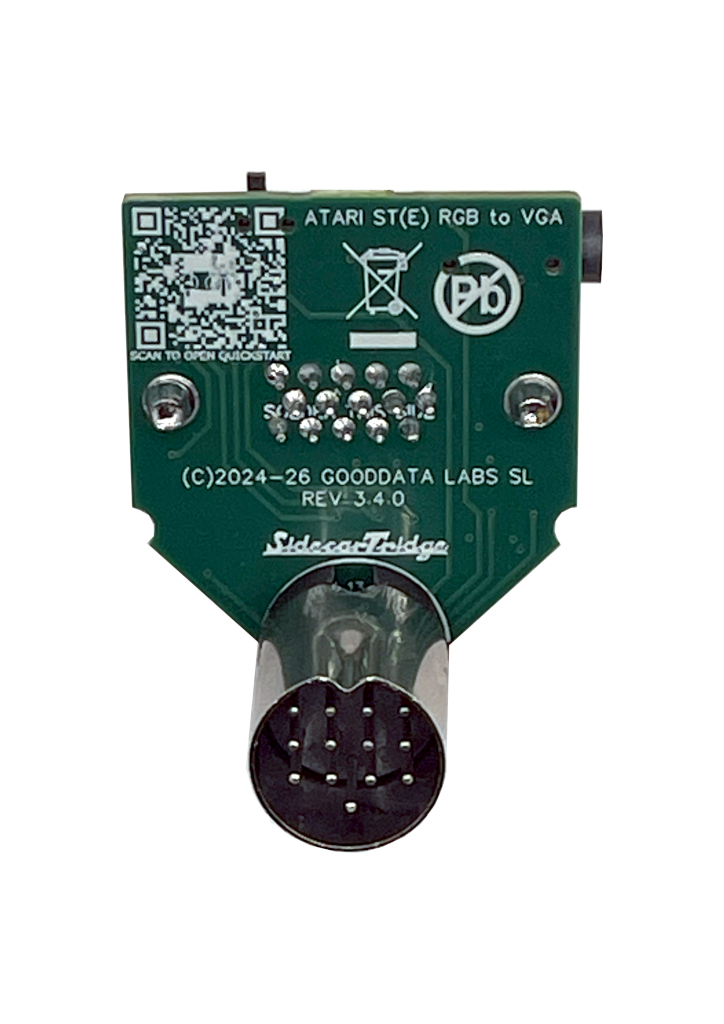
4-layer PCB design
Dedicated ground planes, controlled signal paths and improved shielding between channels. Cleaner analog video than typical 2-layer hobbyist designs.






From €17 plus taxes. Ships from Spain. Atari ST, STE, Mega ST, Mega STE.
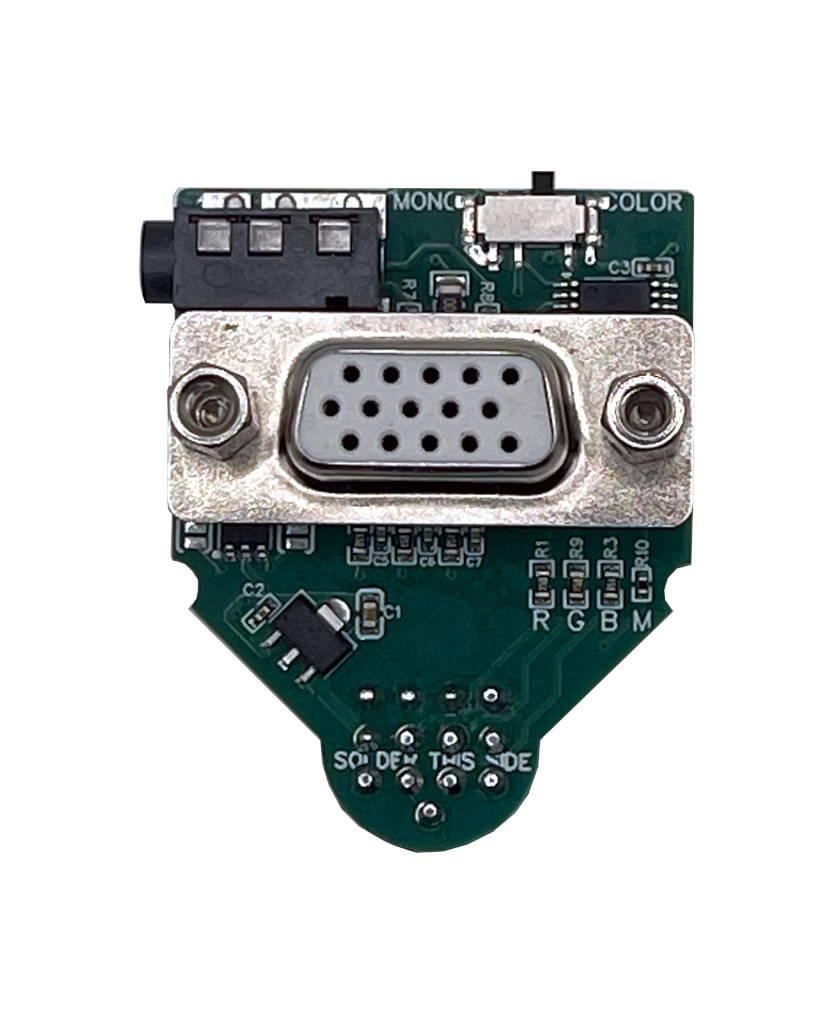
The ST2VGA Adapter (Revision 3) is a passive VGA adapter for the Atari ST, STE, Mega ST and Mega STE. It plugs into the Atari monitor port and outputs a clean analog VGA signal to any multisync monitor that accepts the original 15 kHz horizontal sync used by the ST color modes. No scan doubling, no scaling, no external power. The ST’s native timings are preserved, so the picture looks the way the hardware always meant to look. Revision 3 is a 4-layer PCB design with dedicated RGB low-pass filters that produce a noticeably sharper image than earlier hobbyist boards.
Dedicated ground planes, controlled signal paths and improved shielding between channels. Cleaner analog video than typical 2-layer hobbyist designs.
Analog filtering on the RGB lines tames the high-frequency noise modern LCDs amplify. Smoother colors, cleaner edges, less shimmer.
A built-in slide switch toggles between color modes (ST Low/Medium) and mono mode (ST High) on the fly. No software, no jumpers.
No scan doubling, no scaling, no upscaler chip. The original Atari video frequencies and the classic look go straight through to the monitor.
The Atari mono audio signal is routed to both left and right channels through a standard 3.5 mm jack. Speakers, amps, capture devices, headphones, plug-and-play.
The adapter runs entirely off the +12 V rail provided by the Atari video port. No USB power cable, no charger, no extra plug. Just the adapter and a VGA cable.
Two adapters, same family, different jobs. Pick the one that fits your machine.
€17 plus taxes
€25 plus taxes
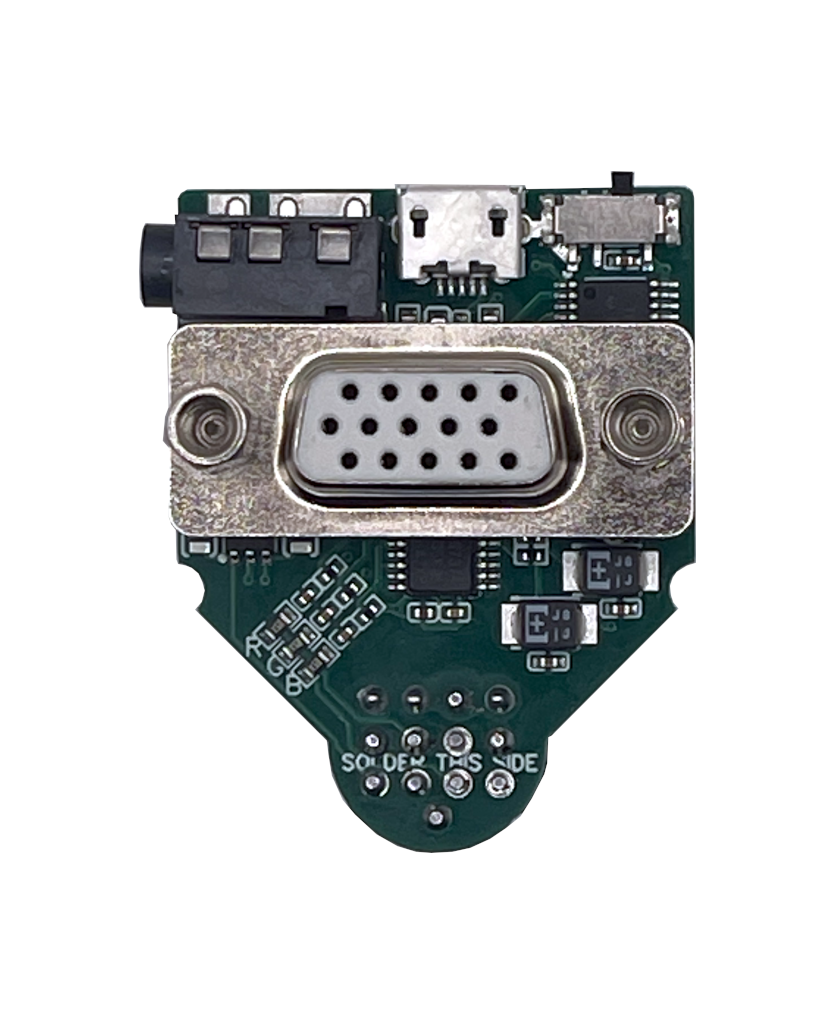
Tested on the Atari 520ST / STF / STFM / STE, 1040ST / STF / STFM / STE, Mega ST and Mega STE. Some very early Atari ST boards do not expose the +12 V rail on the monitor connector that this passive adapter needs to operate. If yours is one of those, use the ST2VGA Enhanced Adapter, which carries its own +5 V supply over micro-USB.
Plug the adapter into the Atari monitor port, plug a standard VGA cable into a multisync monitor, power on. No soldering, no modifications, no tools.
Yes. Enclosure files and links for the ST2VGA family live in the ST2VGA family Enclosures/Cases page.
No. The adapter is electrically safe and places minimal load on the Atari video circuitry.
No. The adapter preserves the original Atari scan frequencies and timings. No upscaling, no scan conversion, no processing latency.
Color modes (ST Low and ST Medium) require a VGA monitor that accepts a 15 kHz horizontal sync signal. Mono mode (ST High) works on any standard VGA monitor. The 15kHz reference list is the most practical starting point if you are unsure about a model.
A slide switch on top of the adapter toggles between color modes (ST Low / Medium) and mono mode (ST High) on the fly. No software needed.
If your monitor already accepts 15 kHz but you still see vertical “jailbars” or frequent sync drops, move up to the ST2VGA Enhanced Adapter. Its buffered RGB amplifier and extra filtering were built specifically to clean up marginal signals and keep picky LCDs happy.
The adapter includes a 3.5 mm audio jack. The Atari’s mono audio signal is duplicated on both left and right channels.
A standard VGA cable works. For best results, a cable with ferrite noise filters is recommended, particularly on longer runs.
Yes, if you want a clean and simple way to drive a modern VGA monitor from a healthy Atari ST, STE or Mega ST, you have (or are willing to find) a 15 kHz-capable multisync monitor, and you appreciate a passive, plug-and-play device with no extra power supply. It is a homebrew product built for hobbyists, not a sealed appliance.
This product has been assessed for European (CE) and UK (UKCA) conformity. Official Declarations of Conformity and EMC Assessment reports (ST2VGA REV3.4.0):