





Introduction
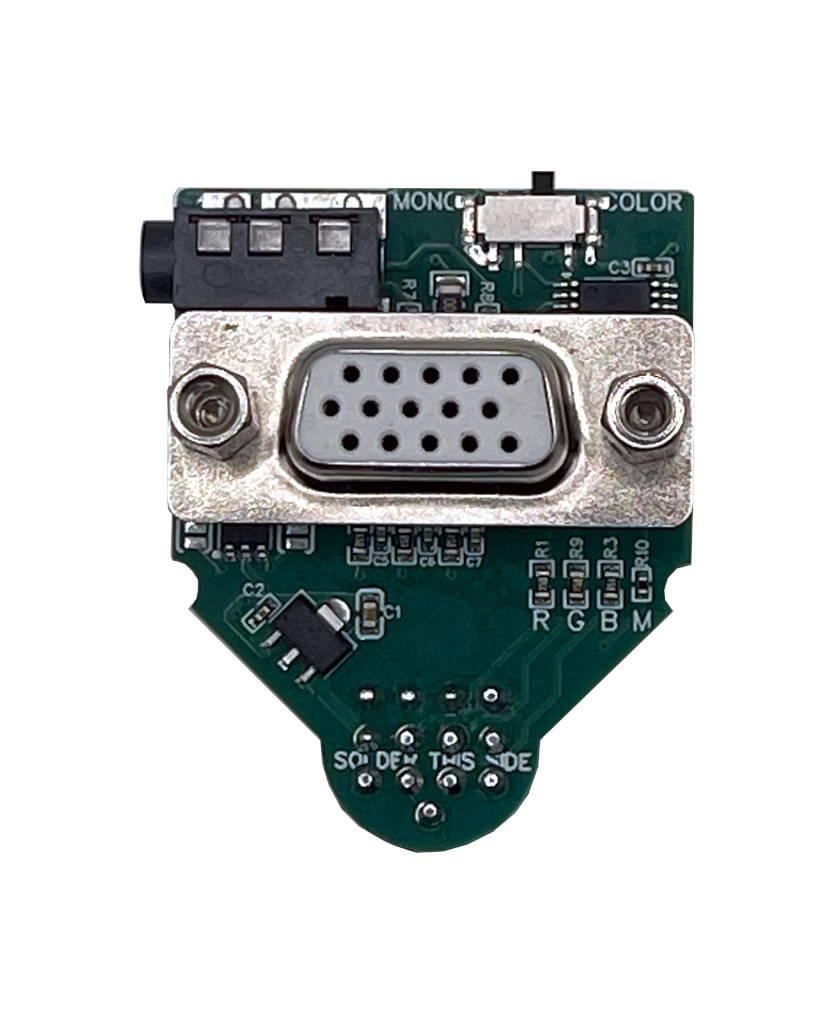
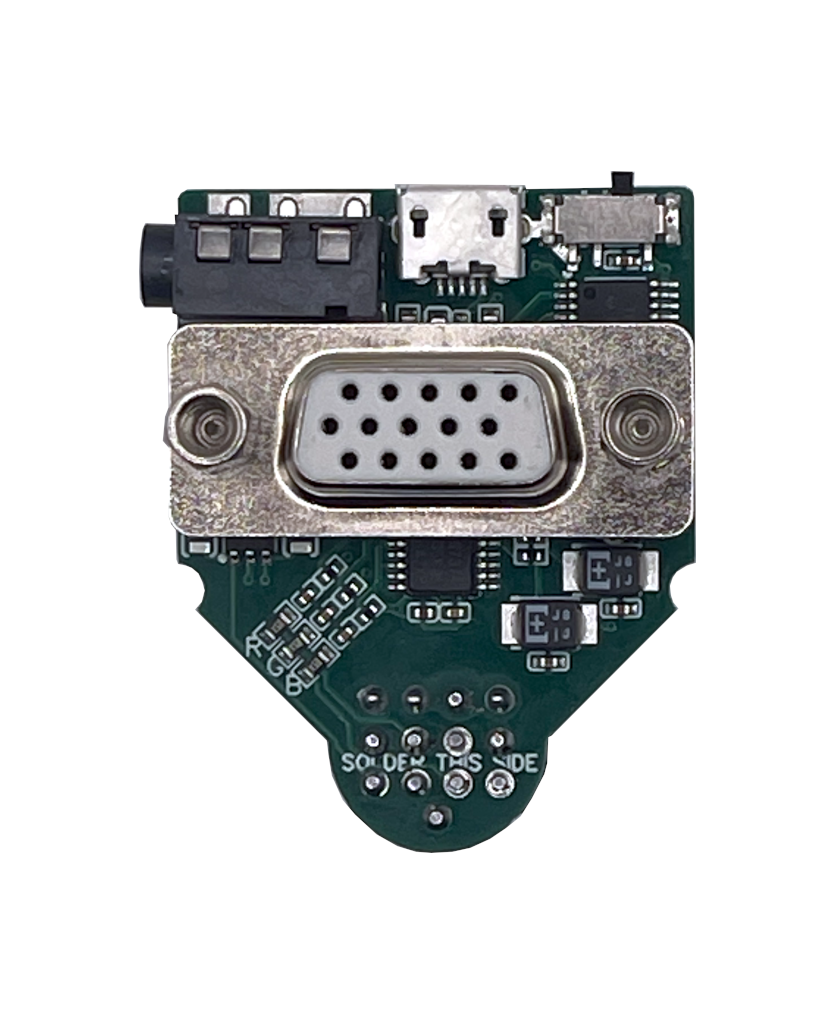
The ST2VGA Enhanced is designed for Atari ST computers whose color video output is weaker, noisier, or less stable than expected. In addition to the normal ST2VGA function, this version includes a specialized video amplifier chip that amplifies the RGB signal, filters out unwanted high-frequency noise, and buffers the output before it reaches the VGA monitor.
Unlike the standard ST2VGA, this model requires external +5V power through a Micro USB connector. This makes it suitable for some very early Atari ST machines that do not provide the +12V line on the video port.
What Is in the Box
You will find a single ST2VGA Enhanced adapter in the box or static bag.
To use it, you will also need:
- A Micro USB cable
- A stable 5V USB power source
- A VGA cable
- A compatible Atari ST computer
- A compatible VGA monitor
Note: The external power supply, USB cable, and VGA cable are not included.
Check Compatibility of Your Computer
Before installation, confirm the following:
- Supported models:
- Atari 130ST
- Atari 260ST
- Atari 520ST / STF / STFM / STE
- Atari 1040ST / STF / STFM / STE
- Atari Mega ST
- Atari Mega STE
- Recommended use case:
- Systems with weak, noisy, or unstable color output
- Very early Atari ST computers that may lack the +12V line on the monitor port
- Physical connection:
- Inspect the Atari monitor port and ensure the connector is clean and mechanically sound
Check Compatibility of Your Monitor
The ST2VGA Enhanced keeps the original Atari video timings.
- Color modes (ST Low / Medium):
- Require a VGA monitor that supports 15kHz HSYNC
- Mono mode (ST High):
- Can be used with standard VGA-compatible displays
- Suggested reference:
- Check your monitor specifications or review compatibility lists such as 15kHz.wikidot.com
If you do not have a 15kHz-capable monitor, you can still use the adapter in mono mode.
Connect the Device
- Power down the Atari
- Turn the computer off before making any connections.
- Plug the adapter into the Atari video port
- Connect the ST2VGA Enhanced directly to the monitor port on the Atari.
- Insert it carefully and make sure it sits firmly in place.
- Connect the VGA monitor
- Attach a standard VGA cable to the adapter.
- Tighten the VGA screws to avoid intermittent video issues.
- Connect external +5V power
- Plug a Micro USB cable into the ST2VGA Enhanced.
- Connect the other end to a stable 5V USB power source.
- Make sure the power source is connected before testing color output.
- Connect audio if needed
- If you want audio output, connect a cable from the integrated 3.5 mm jack to your speakers or amplifier.
Testing the Device
- Select the video mode
- Use the integrated slide switch to choose color mode or mono mode.
- Power on the monitor and Atari
- Turn on the VGA monitor and then power on the Atari computer.
- Verify the image
- Check that the picture is stable and that colors appear cleaner and stronger than with a passive adapter.
- If your machine previously showed weak colors or visible noise, this is where the improvement should be noticeable.
- Verify power
- If there is no color output or the image is unstable, first confirm that the Micro USB cable and the external 5V power source are connected correctly.
- Check audio
- If you connected speakers or an amplifier, verify that mono audio is present on both channels.
Practical Notes
- Use a good-quality 5V USB power source
- Avoid poor-quality or damaged USB cables
- Use a VGA cable in good condition
- If the image quality still varies, try another monitor or cable to isolate the cause
The ST2VGA Enhanced improves the signal path, but the final result can still depend on the condition of the Atari video circuitry, the VGA cable, and the monitor input stage.
Conclusion and Support
The ST2VGA Enhanced is the best option when a standard passive Atari-to-VGA adapter is not enough. With external 5V power, active amplification, high-frequency filtering, and buffered output, it is intended for difficult Atari ST systems that need better analog video conditioning.
For further assistance or questions, contact us via the contact page.